This is a bunch of bad python that controls my pool pump via an arduino hacked onto a consumer remote controlled mains plug.
I got sick of my pool crawler choking on the huge eucalyptus leaves that blew off the nearby trees and sunk to the bottom. Running the pump 24/7 would catch the leaves on the surface with the skimmer, but was wasteful. So:
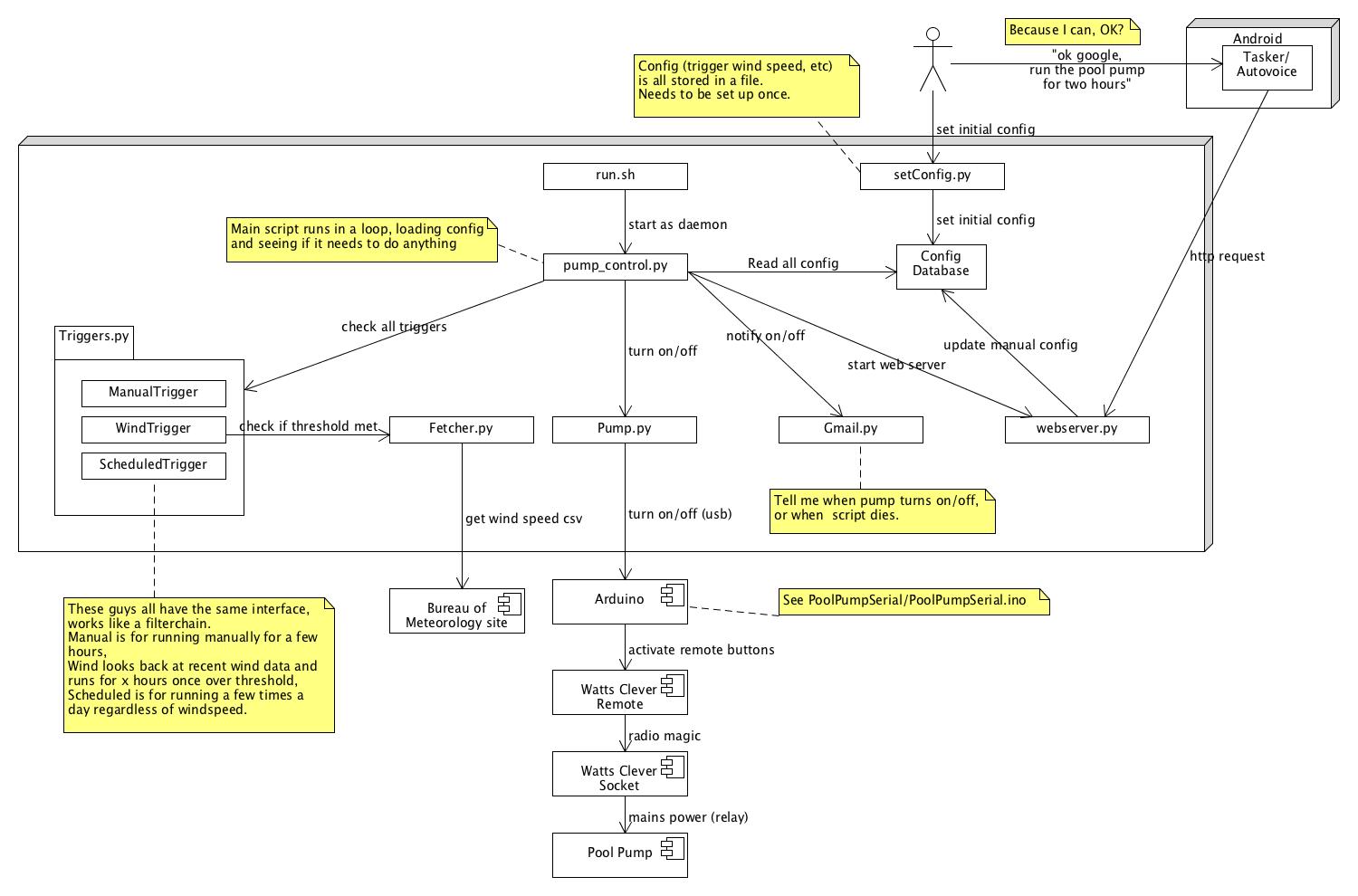
Pumpcontrol has these main functions:
- It polls the local weather station to get the current wind speed, and turns on when the wind is high (so that leaves landing in the pool get skimmed out)
- It runs a few hours a day on a schedule
- It turns on when request via a web interface- I have this hooked up to android and tasker so I get voice control (“Ok google, run the pool pump for 3 hours”)
- It sends emails (via gmail) whenever it turns on or off so I can keep track of it
To get it to go you need to :
- Build the arduino interface
- Copy to a linux box with python (I run it on a Kodi box, which a a fairly restrictive execution environment)
- Find a weather feed close to you. I’m using the Aussie BOM feeds (json) from here , but if you’re not in aus you’ll need to write some parsing code.
- Set up a one time gmail password for notificationsm, or disable notifcations in the code
- Edit set_config.py to reflect the above and other settings.
- Run set_config.py (once off)
- Run run.sh to start the daemon (put in your startup)
To get the PC to control my pool pump, I had a couple of problems:
My pool pump is 20m from my house.
I didn’t want to mess with mains power (I don’t enjoy electrocution)
I looked at off the shelf arduino solutions for controlling mains power, but ended up buying a set of Watts Clever Easy Off Sockets and Remote.
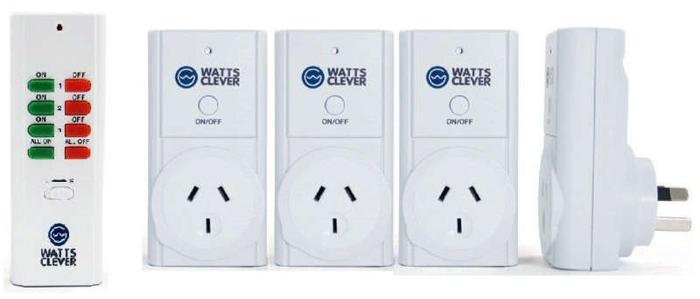
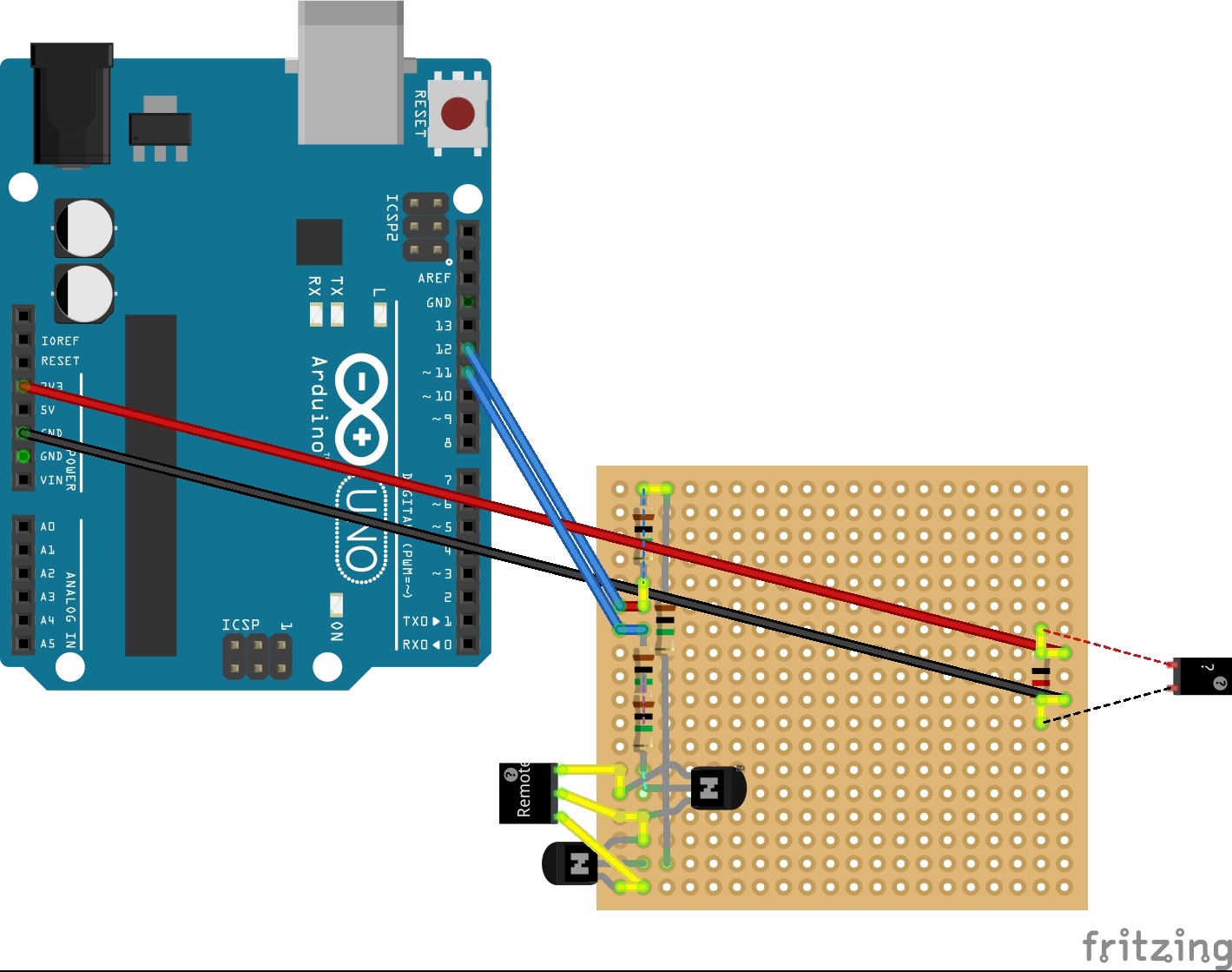
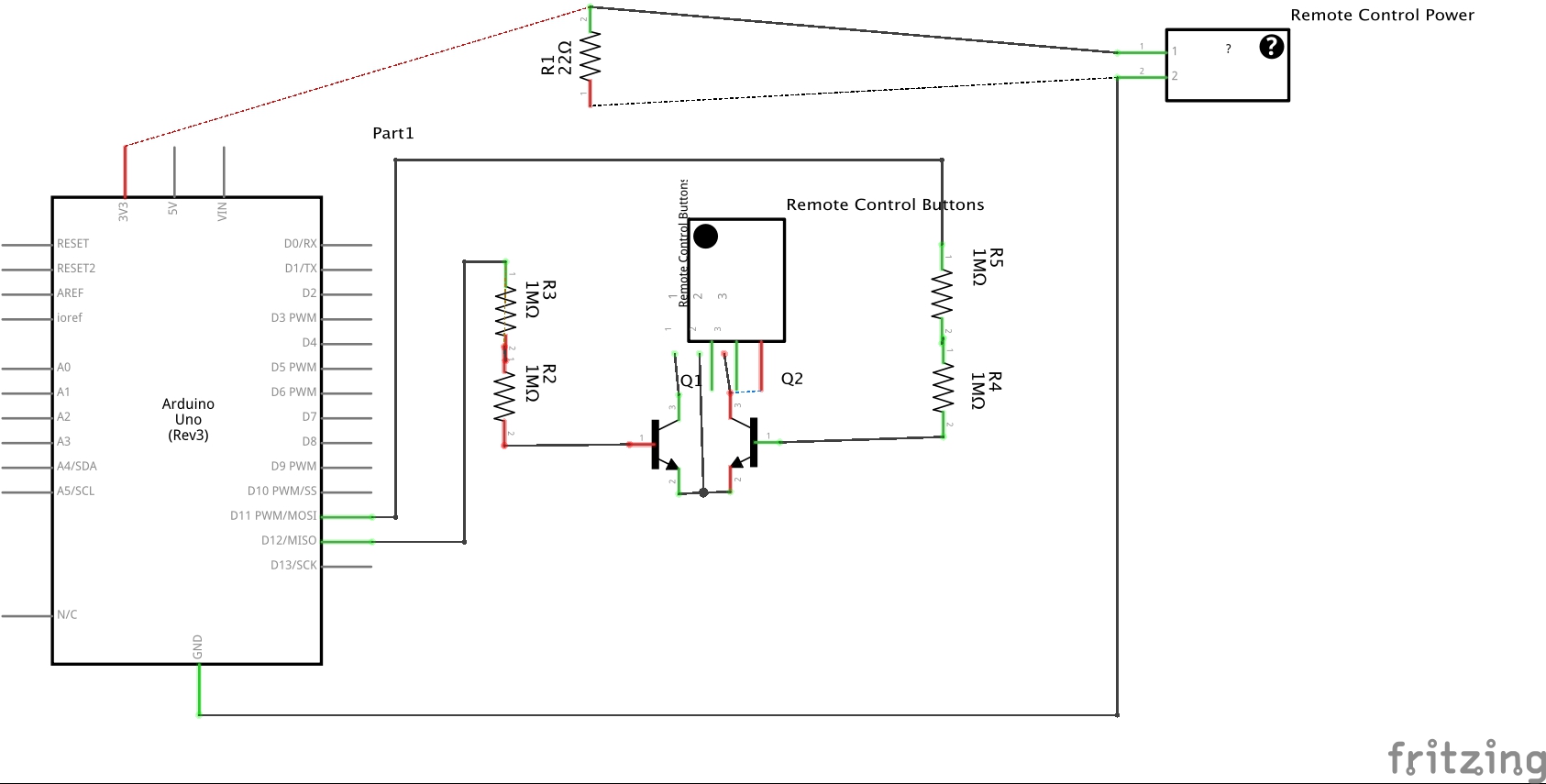
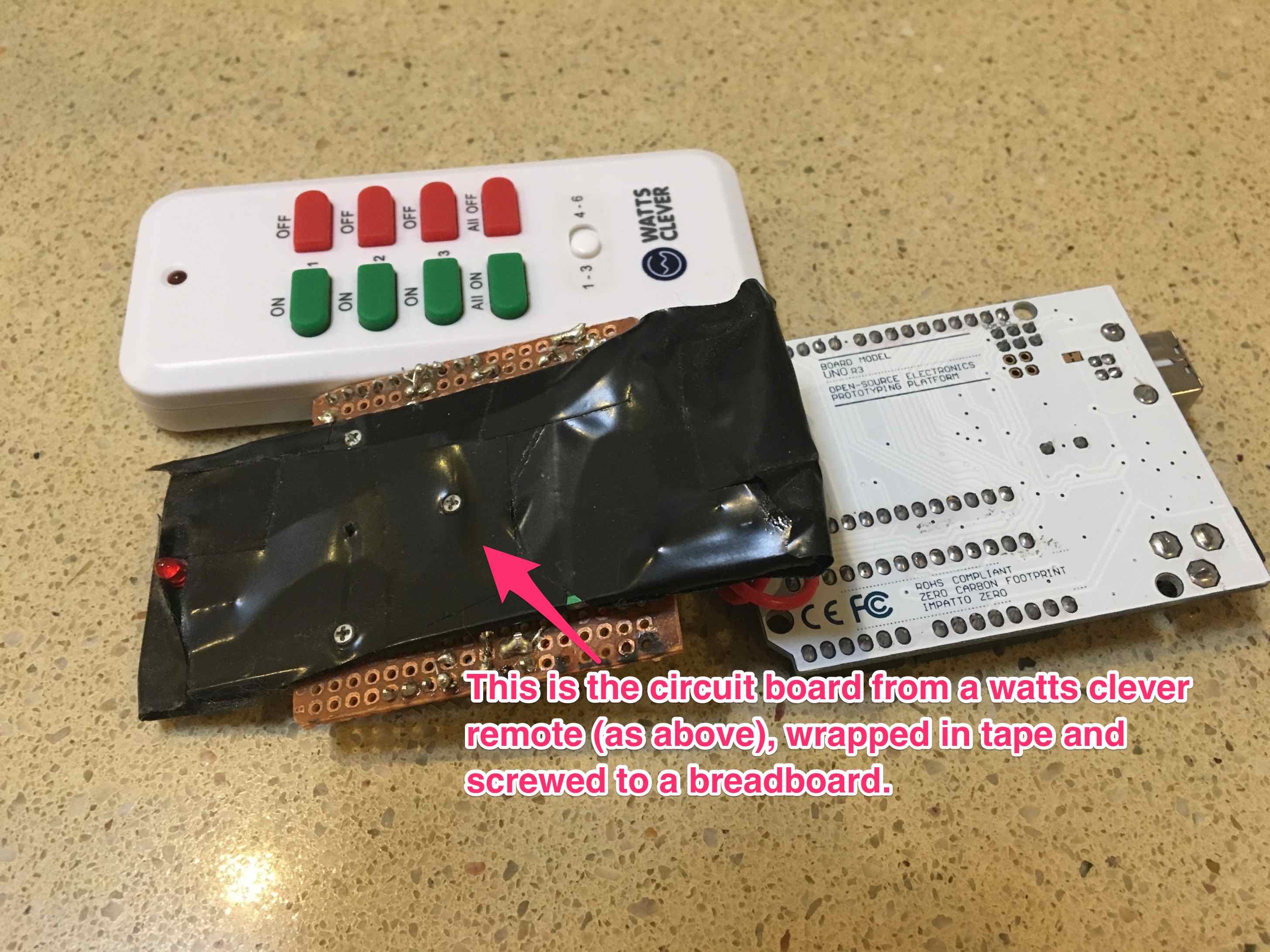
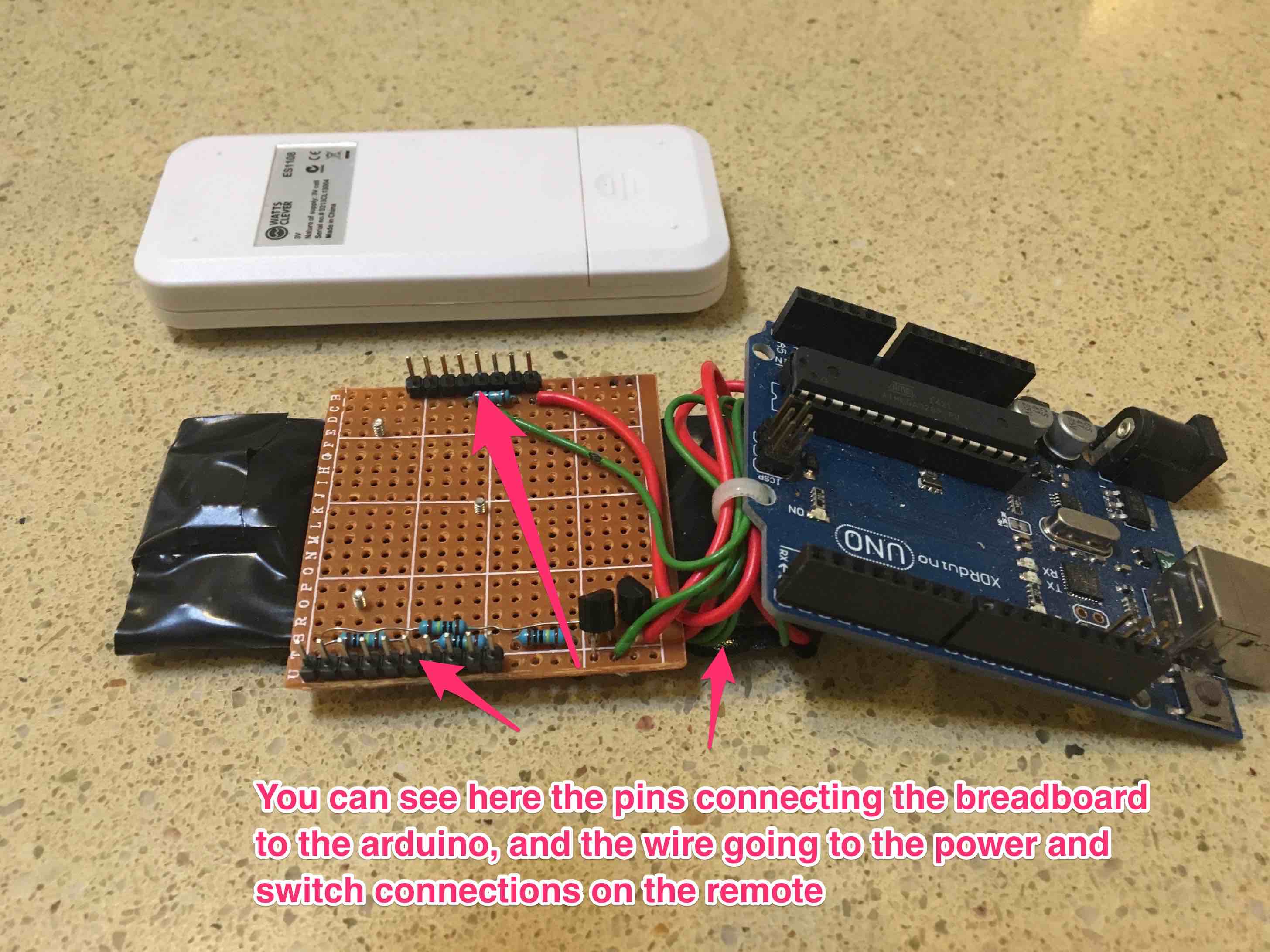
I disassembled the remote, and using a breadboard, wired the arduino outputs to “push” the buttons on the remote. I also powered the remote off the arduino power. I only wired up one set of on/off switches but you could use this same technique to control 3 different power sockets.
The breadboard circuit to hook the arduino to the remote is pretty simple- some transistors and a couple of resistors to act as voltage dividers to drop the voltage to the right level.The whole design, including parts manifest, is available as a Fritzing file for download here . Overall it looks something like this:
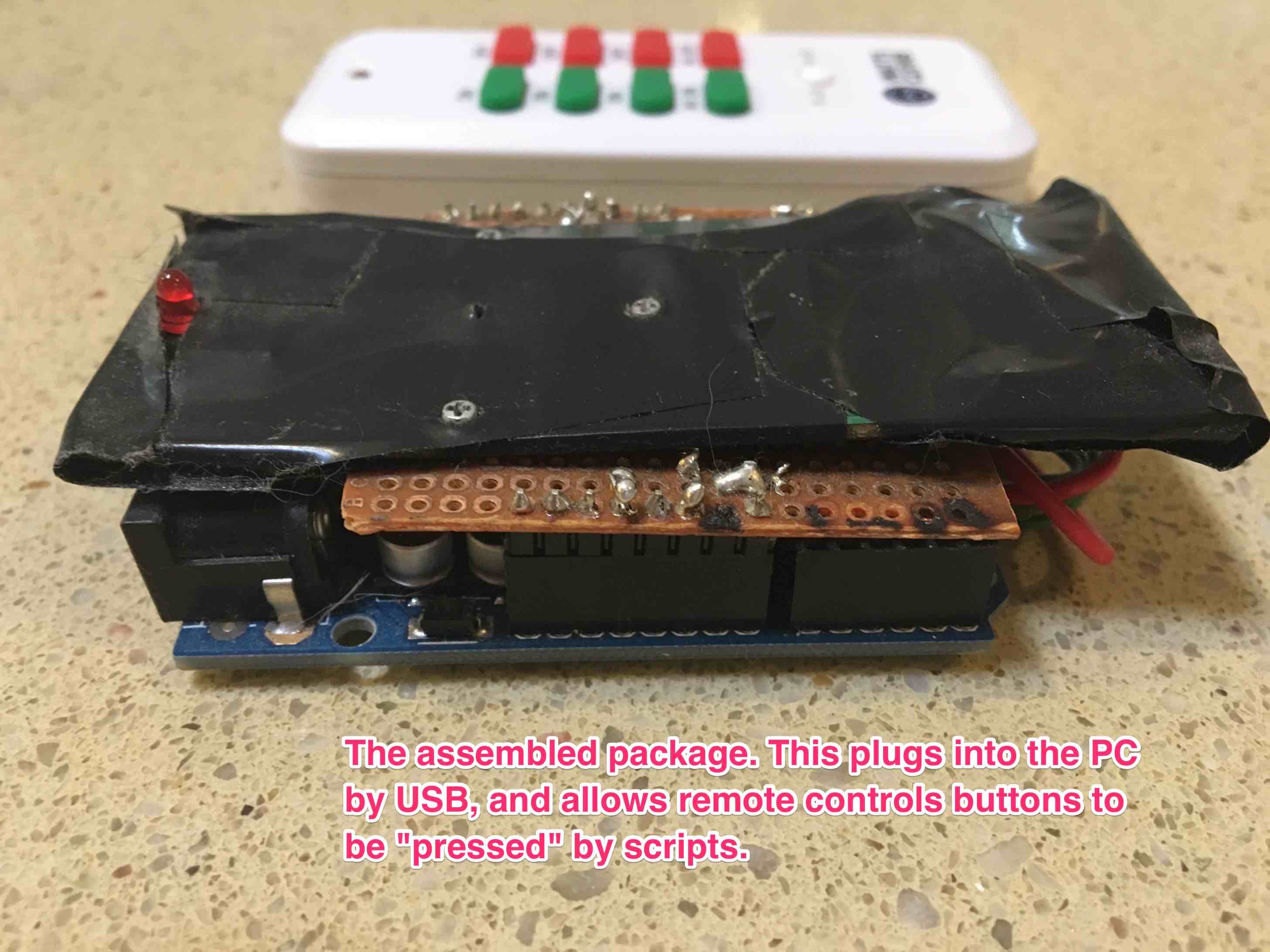
The “finished product”, which plugs into my PC, looks like this:
This system works best if you have a very good skimmer in your pool. I use the poolskim which is amazing.

The code that runs on the arduino is available in the PoolPumpSerial folder with the github code.
If you want voice control from Android, you need Tasker and Autovoice. Then import the tasker project in the anroid folder, and modify the IP address of the web server.
Warning: this code is not at all secure, especially the web interface.
Future potential:
- It would be easy to hook up an anemometer to measure local wind speed, or use your existing weather station (looking at your Matt)
- I thought a lot about using a fixed camera pointing at the pool, and process the image using openCV. It would be fairly easy to tell the crawler apart from leaves, and if you ran the pump periodically you could tell the difference between leaves sitting on the surface vs the bottom. But this is probably overkill on a problem I’ve already overkilled…
- It would be nice to have data on how often pump is running etc
- It would be nice to have a richer web interface
- The code is terrible (Python isn’t my thing) - but it goes :)